Library-first, not web-search-first
fAI Suite works from installed skills, the local Registry, declared helpers, and the open project. It does not search the web for random instructions to follow.
fAI Suite
Ask fAI to build or change something, explain an unfamiliar setup, investigate a warning, organize a longer task, or keep track of work while you step away. The assistant begins with live project context and the tools available in your installed edition, so it can work with the session in front of you instead of treating every request like a blank chat.
Inside your application
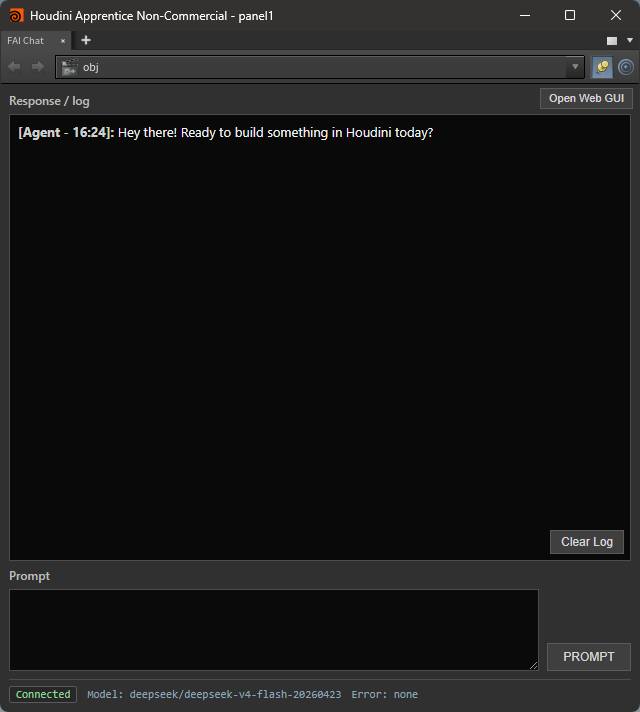
The fAI Panel lives alongside the work you already have open. Each request starts with a snapshot of the current project, so the agent can inspect the active context, build on the selected work, and verify what it changed instead of guessing from a sentence alone.
Use it for day-to-day work: create a setup, edit an existing chain, inspect a warning, replace a tool without disturbing the layout, or ask for a full project inventory when you need to understand a file quickly. It is also where you can call on an installed skill or enabled helper, or ask the agent to create a Scheduler task from a normal instruction.
For example, you could ask: “Cache this simulation overnight. When it finishes, render it, make an MP4, and put it in my review folder.” The result is a saved task you can inspect and edit in Scheduler rather than a one-off action hidden in chat.
Assistant and help
The assistant is useful before you automate anything. It can work on the open project, answer questions from current context, and use the host's inspection tools to check what is actually there.
Build a setup, adjust an existing network, replace a component, organize project files, or apply a repeated operation. fAI can carry the request through execution and verification instead of stopping at a written recipe.
Ask what a setup does, why an operation failed, where an output lives, or what changed in a project. When the available evidence is incomplete, the assistant should say so rather than fill the gap with a confident guess.
Automation
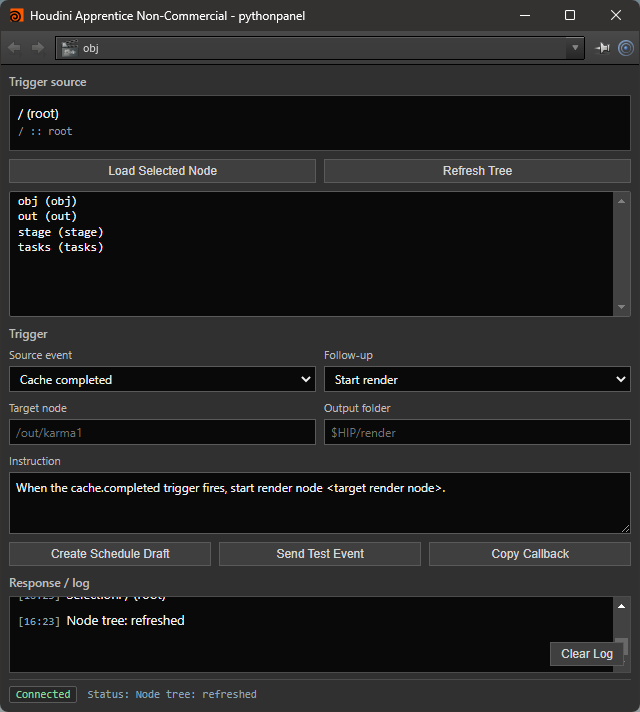
Scheduler is for work that should not require you to sit there and click the next button. Cache a simulation overnight, render when the cache completes, encode a review movie, then hand it to the next step automatically.
You can create those jobs in the Scheduler UI or simply ask the agent to set them up. The task remains saved locally, visible in run history, and editable when the job changes.
Monitoring
Scheduler can monitor work that is already running as well as work the agent starts for you. Ask it to watch a render, cache, simulation, preview, or batch job and the task stays visible while you step away.
Monitoring records when a job starts, completes, or fails. The Tasks view keeps the current state and recent run details together, so a failed overnight cache is not mistaken for a successful handoff the next morning.
When fAI Remote notifications are enabled, subscribed task changes can alert a paired Android phone. The agent can create the monitor from an ordinary request such as “Start this render and let me know if it fails.”
Remote
fAI Remote provides Main chat and read-only task status from a phone or browser. It is designed for checking progress, receiving monitoring alerts, and asking Main for an update without exposing your application or the Bridge directly to the public internet.
The workstation and phone join the same private tailnet. fAI Suite creates the local Remote route and a short-lived pairing QR code, so users do not have to open router ports or publish a general web endpoint.
Pairing enrolls a specific browser or app. Remote requests use that device identity, while provider credentials, raw application scripting, and internal runtime tools remain on the workstation. A paired device can be removed from the Remote page at any time.

Connectivity
Helpers provide declared connections to another application, command-line tool, online service, or API. They let a workflow reach beyond the current host without giving the model an unrestricted command channel.
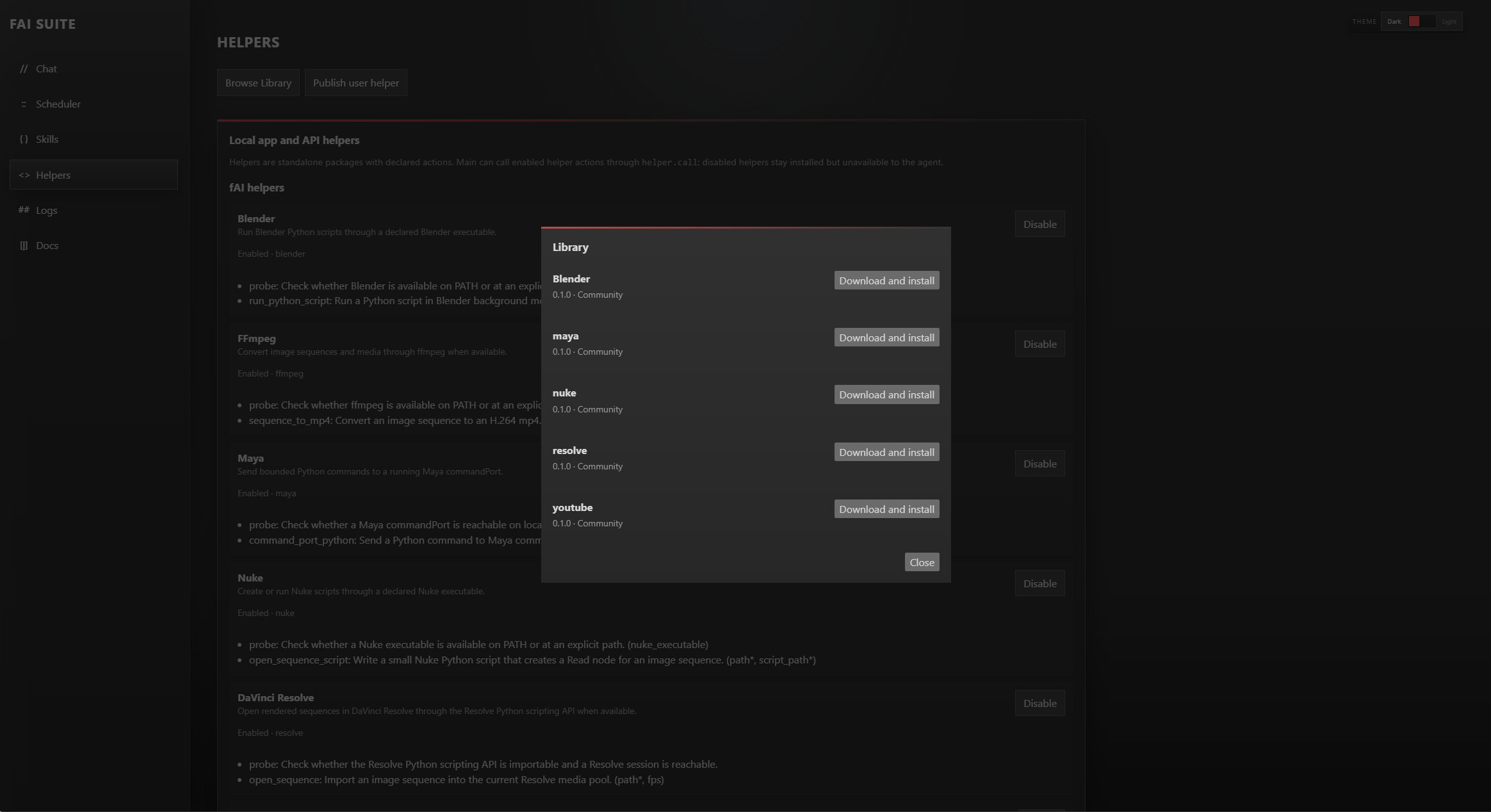
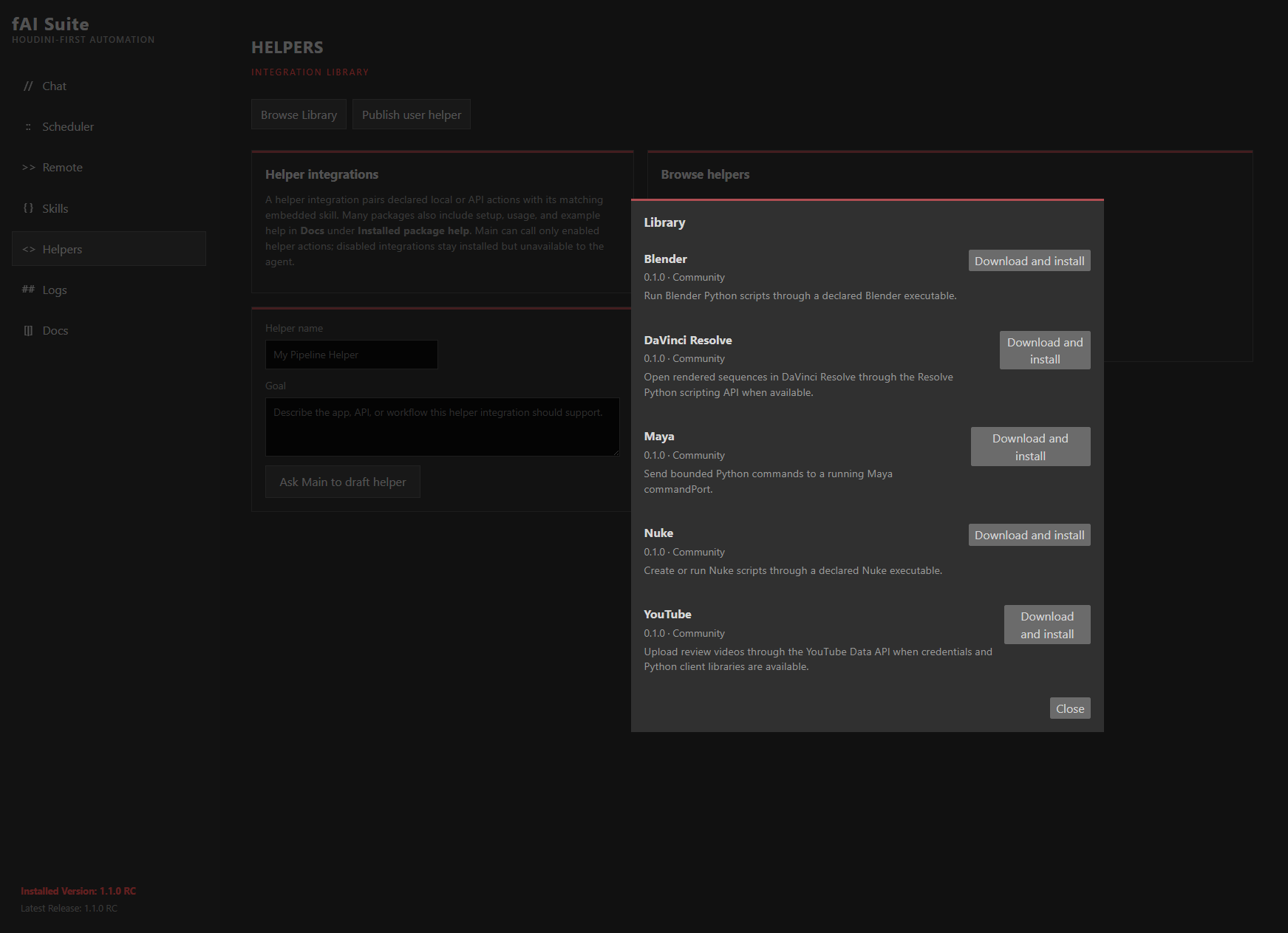
Connect to another creative application, a renderer, FFmpeg, a project database, an AI service, or an internal production API. Each helper exposes named actions, while its matching guidance tells the assistant when and how those actions should be used.
Install integrations from the Library, keep a private one for yourself, or share it with a small team.
Skills and local knowledge
Skills are the reusable instructions behind fAI's more specialized work. They capture the method, technical details, and checks for a task so the assistant does not have to reinvent the workflow from generic model memory every time.
A skill can describe how you build an asset, analyze a project, create a custom tool, prepare a render, or follow your naming and delivery conventions. Keep it personal or share the same method with collaborators.
The Registry and host-specific libraries give the assistant concrete information about available tools, scripting patterns, and supported operations. A local model and a hosted model can both begin from that same installed foundation.
Make it yours
Create skills, helpers, panels, custom assets, toolbars, reports, and Web GUI extensions around the way you work. Start with one useful tool at one workstation, then share it if another artist or small team needs the same result.
The architecture can grow with a larger production, but fAI Suite is designed to be useful long before that point.
Local connection security
The panel, Bridge, Web GUI, Scheduler, Remote gateway, and local capability service communicate locally, but local does not mean unprotected. fAI Suite creates a random credential during installation and requires it for internal Bridge and application operations.
The credential stays on the workstation and is loaded by first-party fAI Suite processes when they need to talk to one another. An unrelated process cannot gain scene inspection or execution access merely by finding a local port.
A paired phone never receives the internal Bridge credential, provider key, or direct application execution access. It reaches the bounded Remote chat and task views through Tailscale and its own revocable device authentication.
Community Library
Publish a user-made skill or integration from fAI Suite, describe what it does, and make it available in the Library. Other users can browse it from the Skills or Helpers pages, download it, and decide whether to enable it.
An integration package includes the helper that talks to a tool and the matching skill that tells the agent how to use it. That keeps the capability and its workflow guidance together instead of leaving a disconnected helper behind.
It is a practical route for sharing connections to Blender, Maya, Nuke, Resolve, FFmpeg, a render farm, a project database, or any API your work depends on.
Security by design
fAI Suite works from installed skills, the local Registry, declared helpers, and the open project. It does not search the web for random instructions to follow.
Community packages are screened when published and checked again before installation for malformed content and common prompt-injection patterns. Package manifests and hashes make the downloaded contents inspectable.
Helpers expose named actions instead of an open command channel. Downloaded capabilities stay under the user's control: review them, enable them when you are comfortable, or leave them disabled.
No automation system removes every risk. fAI Suite reduces it by keeping execution local, packages screened, capabilities explicit, and activation in your hands.